| View previous topic :: View next topic |
| Author |
Message |
madman
Joined: 07 Jul 2006
Posts: 598
|
 Posted: Wed Sep 21, 2011 4:35 pm Post subject: Posted: Wed Sep 21, 2011 4:35 pm Post subject: |
 |
|
| Did you check for any accidental solder bridges?
|
|
| Back to top |
|
 |
Mystic_Merlin
Joined: 15 Oct 2007
Posts: 533
Location: Bangkok
|
| Posted: Wed Sep 21, 2011 6:14 pm Post subject: |
|
|
| jmlp wrote: | I did well as the following model:
xx xx
xx xx
xx xx
-- --
I intend to ask the last 2 for 32M but I am editing my current work.
Is it possible to display 24M while only supports 16M? |
I don't really understand your question. The SPFQ supports up to 32M.
It can display any memory size, if a chip is defective, it can compromise the whole system.
Post a hires pic of the mem board front and back so we can help troubleshoot your problem
|
|
| Back to top |
|
|
jmlp
Joined: 20 Aug 2011
Posts: 13
Location: France
|
| Posted: Fri Sep 23, 2011 5:54 pm Post subject: |
|
|
I had a solder bridge.I tought there was a bad chip but not.
Unfortunately i unsolded this chip and i have damaged the card.I add "personal connections" and it works.It will be difficult now to have 32M with 2 other chips...
|
|
| Back to top |
|
|
jmlp
Joined: 20 Aug 2011
Posts: 13
Location: France
|
| Posted: Sun Sep 25, 2011 5:05 pm Post subject: |
|
|
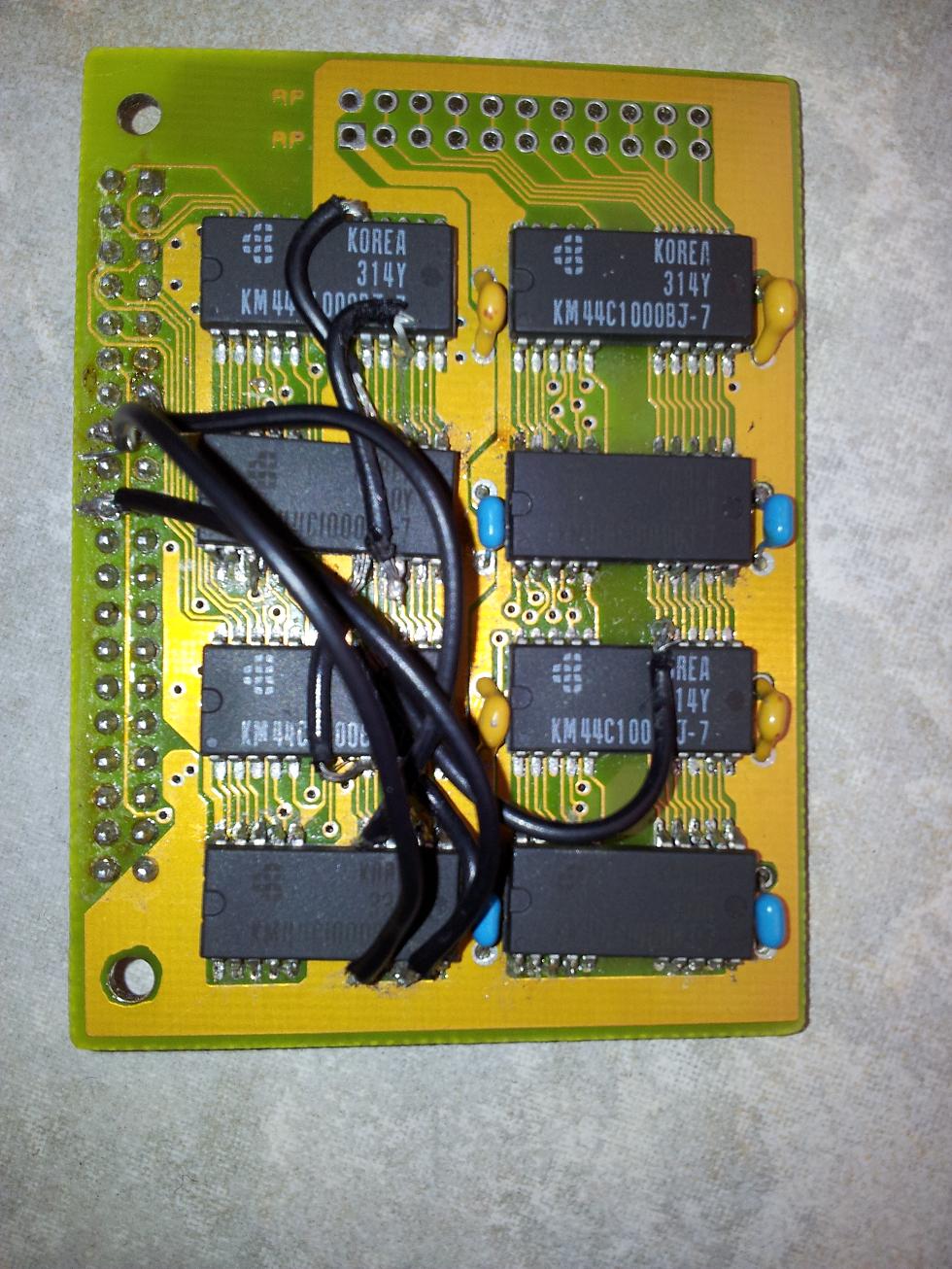
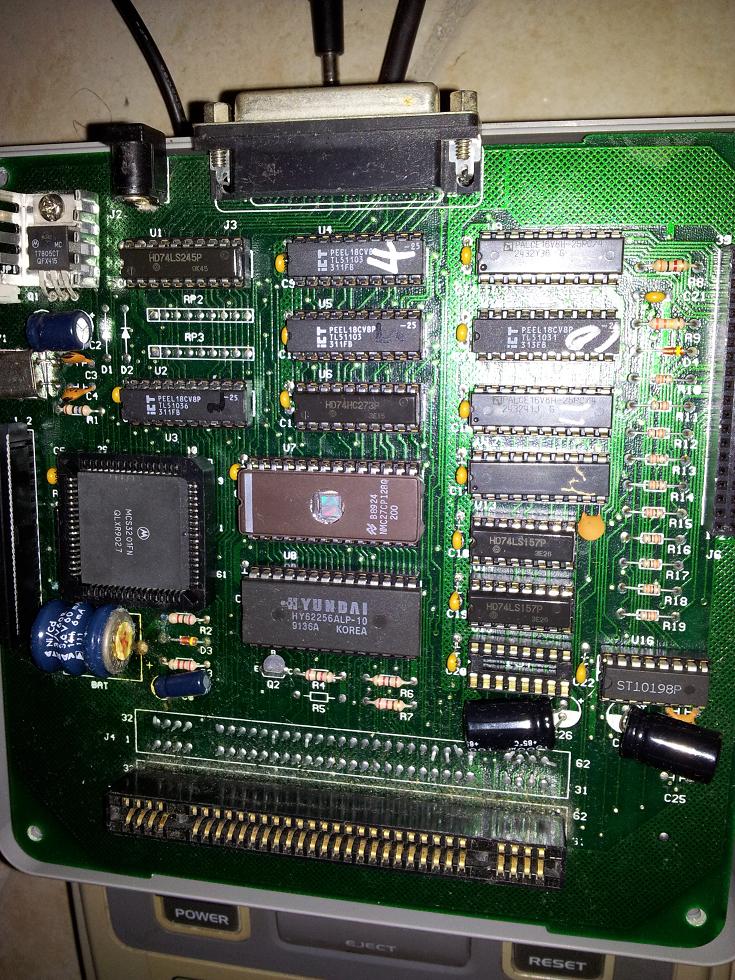
I added the last 2 chips (bottom) and since I have 0 in Dram.
I followed the scheme "tcdev" :
http://members.iinet.net.au/~msmcdoug/consoles/SMD_DRAM_schematic.pdf
I add same capacitors (blue) while the tcdev 's scheme does not provide.
Should I remove the blue capacitors or remove two last 2 chips to have 24M?
| Description: |
|
| Filesize: |
222.94 KB |
| Viewed: |
5642 Time(s) |
|
| Description: |
|
| Filesize: |
231.65 KB |
| Viewed: |
5642 Time(s) |
|
|
|
| Back to top |
|
|
elrobertocarlos
Joined: 15 Mar 2012
Posts: 2
|
| Posted: Thu Mar 15, 2012 12:52 am Post subject: |
|
|
Hello,
I'm trying to repair a damaged memory board for my regular Pro Fighter replacing the first two memory chips with KM44C1000BJ giving me 8Mb of available memory enough for running some small games but the loaded game doesn't start then I performed a little experiment:
Make a dump of SMW game to the floppy
Select the copy recently created file from the tools menu (this will load the ROM to RAM)
Change the disk
Compare the two files
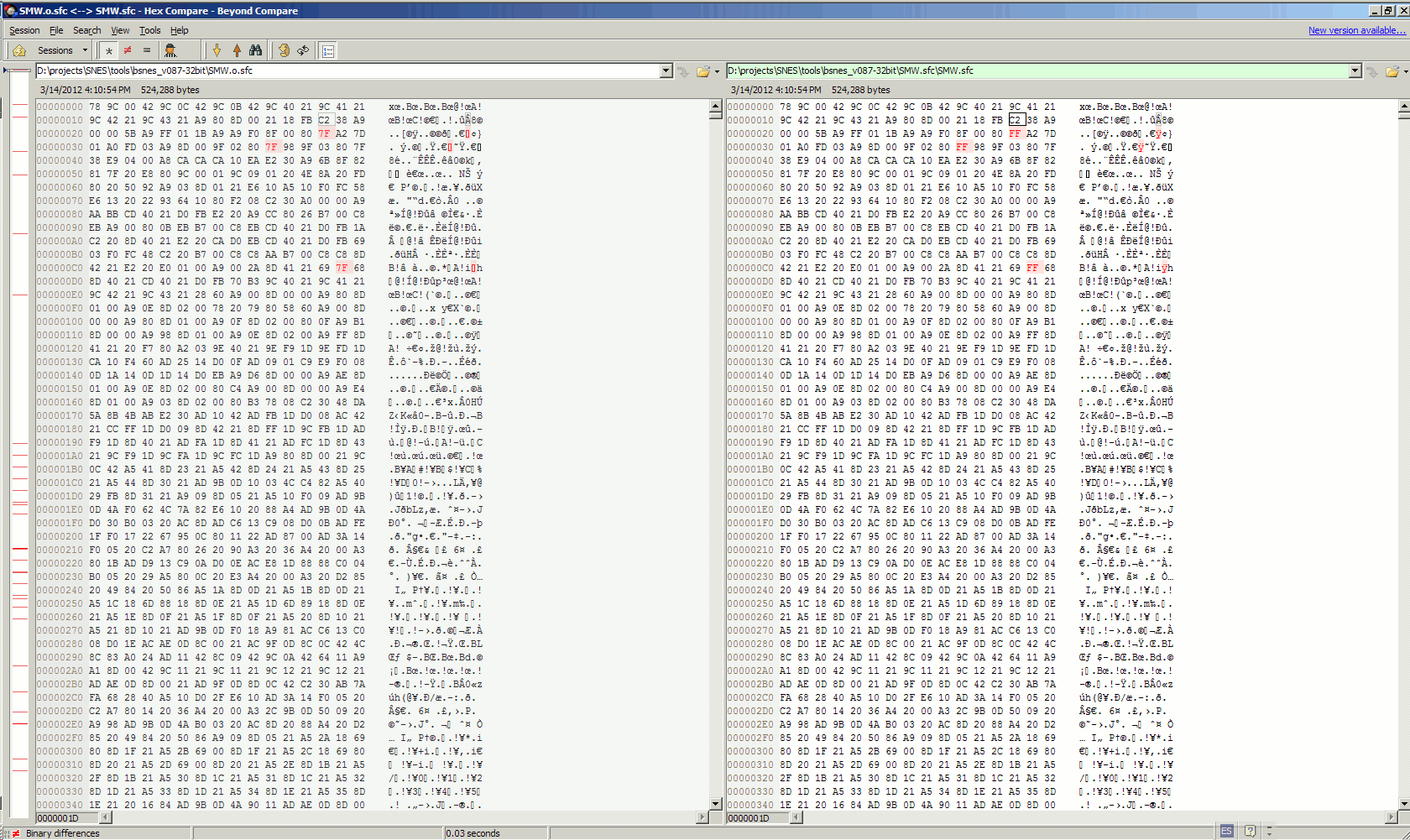
Comparing the files I noticed the second file (copied from RAM) has small differences from the original one but curiously only 0x7F bytes where randomly changed to 0xFF. Only a few times the game starts but with very few glitched graphics.
The left file in the photo is the good dump of the SMW game and the left is the bad one, all differences are just random 0x7F bytes changed for 0xFF.
My theories are very obvious, the chips are damaged or the chips aren't fast enough. What do you think?
| Description: |
|
| Filesize: |
174.39 KB |
| Viewed: |
5422 Time(s) |
|
|
|
| Back to top |
|
|
MottZilla
Joined: 08 Sep 2004
Posts: 765
|
| Posted: Thu Mar 15, 2012 4:23 am Post subject: |
|
|
| It isn't speed related. It could be as simple as a bad solder joint or connection point somewhere. You can buy a new 40 pin pro fighter ram board from Tototek if needed.
|
|
| Back to top |
|
|
elrobertocarlos
Joined: 15 Mar 2012
Posts: 2
|
| Posted: Thu Mar 15, 2012 5:53 pm Post subject: |
|
|
| MottZilla wrote: | | It isn't speed related. It could be as simple as a bad solder joint or connection point somewhere. You can buy a new 40 pin pro fighter ram board from Tototek if needed. |
Thanks, I will reckeck the solder and Tototek has the item but listed as sold out.
Regards
|
|
| Back to top |
|
|
MottZilla
Joined: 08 Sep 2004
Posts: 765
|
| Posted: Fri Mar 16, 2012 1:51 am Post subject: |
|
|
I have a 40 pin 32M pro fighter ram board but I'm not 100% sure that it is free of defect and I don't know where you are. But from what I heard there isn't much to these ram boards. Problems are generally only caused by defective/damaged RAM chips which can be replaced if you track down the right DRAM chips, or if you have a bad connection either solder or maybe if the connector that plugs into the copier is dirty. Hopefully you can sort it out. It probably isn't a big issue.
I don't think the circuit for the RAM boards is very complicated. It's possible to make your own as long as you have good RAM chips which can be harvested from old computers.
|
|
| Back to top |
|
|
|

 FAQ
FAQ Search
 Memberlist
 Usergroups
 Register
 Profile
 Log in to check your private messages
 Log in


